Linking Monzo
The initial Monzo import is time sensitive. You must provide access to Beacon within 5 minutes or it will not be able to successfully fetch historical data. After 5 mins, only the last 90 days worth of transcations can be fetched from Monzo.
Creating a Monzo developer account:
- 1) https://developers.monzo.com/
- 2) Sign in
- 3) Accept magic login link (may take up to 30 secs to receive email)
- 4) Grant Access in Monzo app
- 5) Click "Clients" in Monzo site
- 6) "New OAuth Client"
    Name: Beacon Budget (or w/e you want)
    Logo URL: <empty>
    Redirect URLs: https://api.beaconbudget.com/oauth/monzo
    Description: Beacon Budget integration
    Confidentiality: Confidential (You keep the client secret-server side and do not expose it)
    Submit
Linking Monzo w/ Beacon:
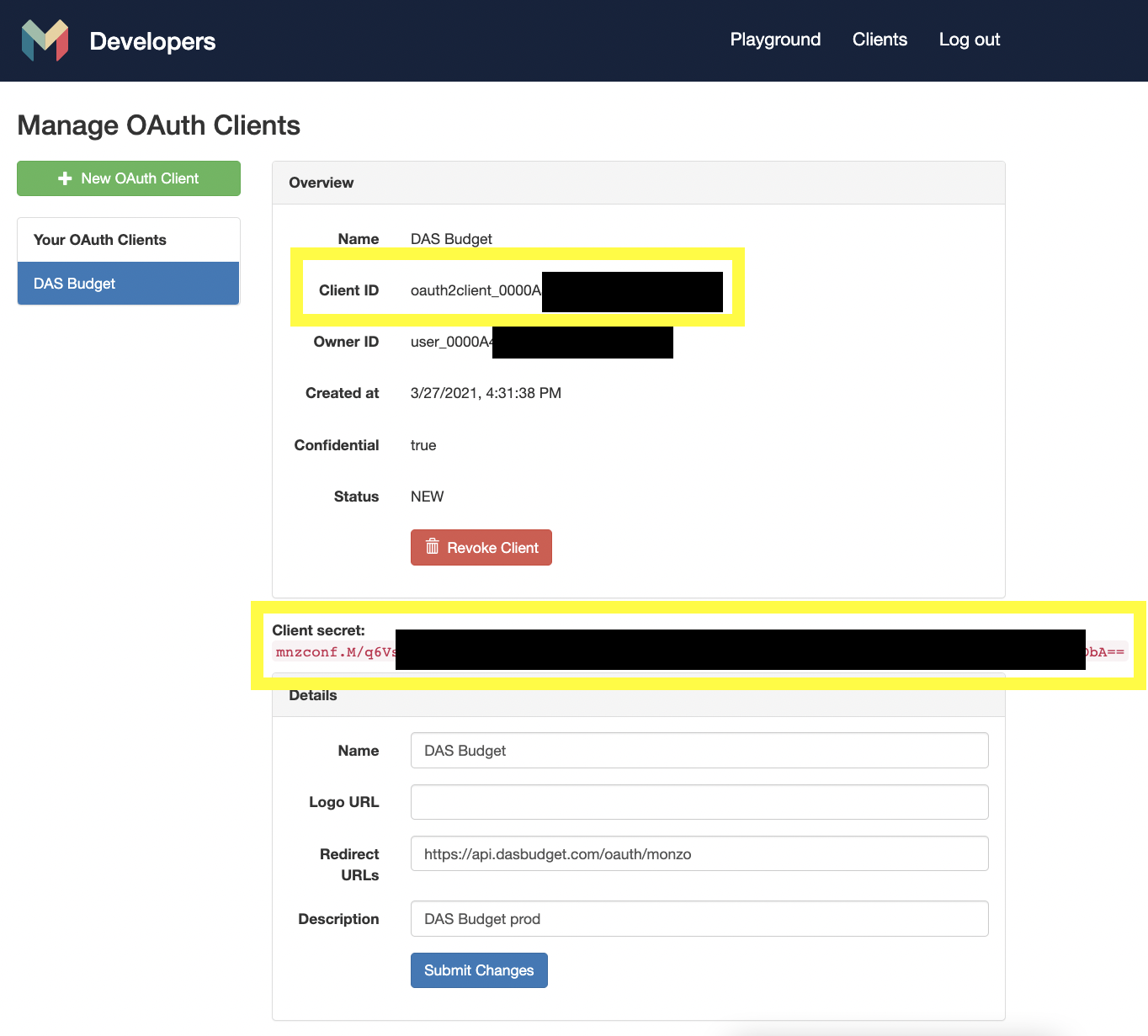
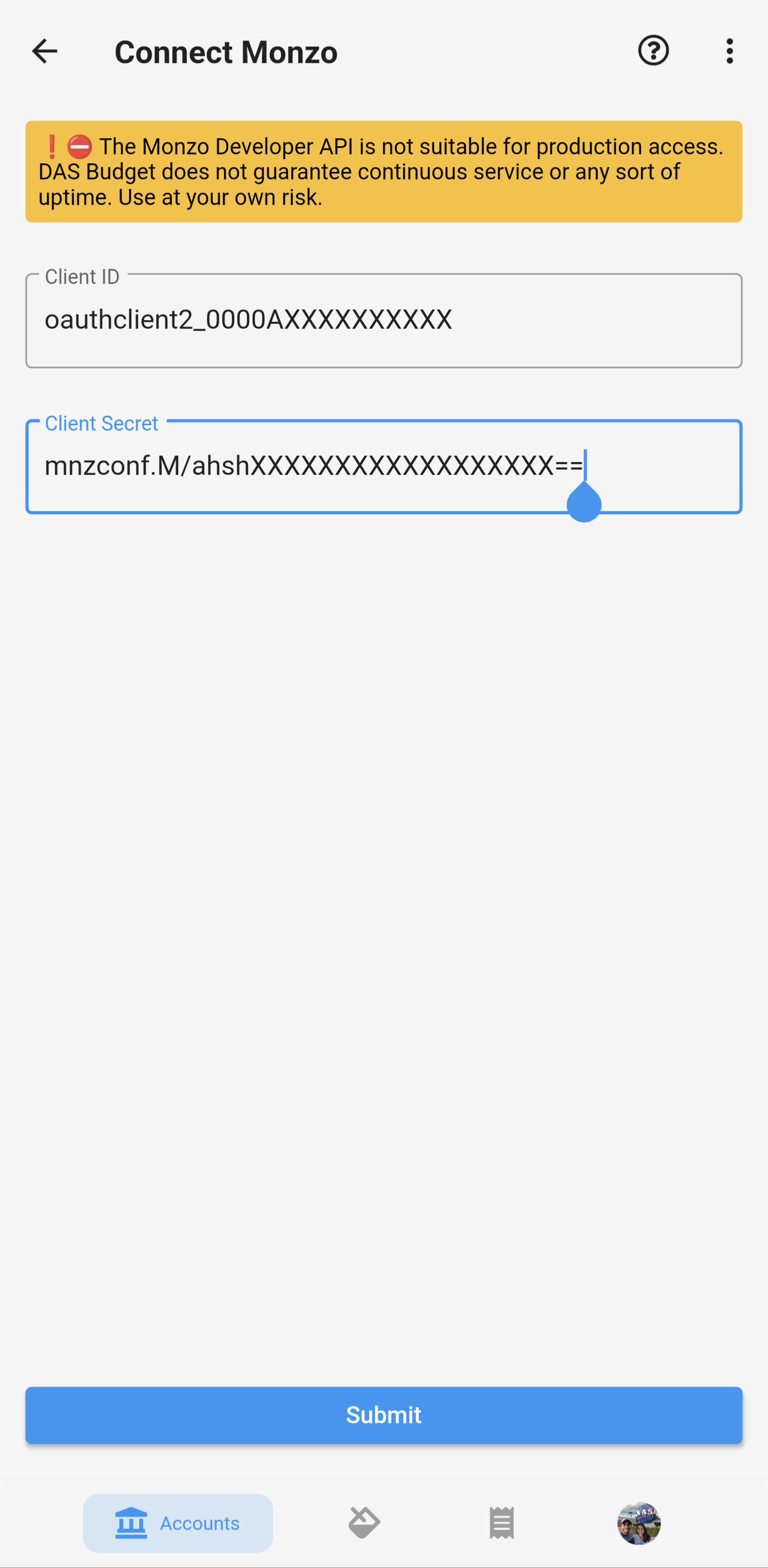
- 1) In Beacon, add new Monzo account with client info from Monzo dev site. Example secrets:
Client ID: oauth2client_000...000 Client Secret: mnzconf.pn...LB+A== Submit - 2) Log into opened website
- 3) Click magic link via email (may take up to 30 secs to receive email)
- 4) You should be automatically redirect back into Beacon.. If not, it's fine
- 5) Grant Access in Monzo app
- 6) Navigate back to Beacon Budget
- 7) Click "I've successfully granted access"
- 8) Profit $$$
If Beacon Budget kills itself while granting access in Monzo:
- 1) Click Monzo bank logo in Beacon
- 2) Click "I've successfully granted access"
- 3) Profit $$$
Test Steps
- 1) Force kill Beacon Budget
- 2) Open Monzo app
- 3) Move money into an existing or new Pot
- 4) Get the Beacon notification 😊